Send from the mailbox people already trust
You don't need a new domain, a warm-up service and a spam-folder strategy to write to fifty potential clients
Look up "how to start cold email" and you will quickly be told to buy a few new domains, set up separate mailboxes, pay for a warm-up tool for a few weeks, and then send through a dedicated platform.
That advice exists for a reason: it is how you send thousands of emails a day to strangers. But it is not what most small businesses, freelancers and consultants actually do. They want to write to fifty people they met at an event, a list of local companies, past clients they have not spoken to in a year. Real people, personal messages, a few dozen a day.
For that, the best sending address you have is the one you already use: your own.
Why your own mailbox works better for small-scale outreach
- People recognize your name and address. A reply goes to you, not to "sales3@yourcompany-mail.com".
- Your mailbox has years of normal sending history behind it.
- Replies, follow-ups and the whole conversation stay in one place.
What you need is not a new domain. It is a way to send personal emails from your mailbox in a controlled, polite way — and to keep track of what happens next.
How it works in Cold Leads
You connect your mailbox in Settings → Sending emails:
- Gmail or Google Workspace, or Microsoft 365 — you grant send and read permissions; tokens are stored encrypted and can be revoked at any time;
- or your own SMTP + IMAP.
Then every campaign is sent from that mailbox, with guard-rails built in:
- a dry-run before anything goes out, so you see exactly who will receive what;
- daily limits — yours and each teammate's;
- sending spread over a period you choose, from 30 minutes to 24 hours, with random gaps, instead of a burst;
- personalization with {name} and {company};
- your signature and a plain-text unsubscribe line on every email;
- opted-out, bounced and do-not-contact addresses are always skipped.
The replies come back to you
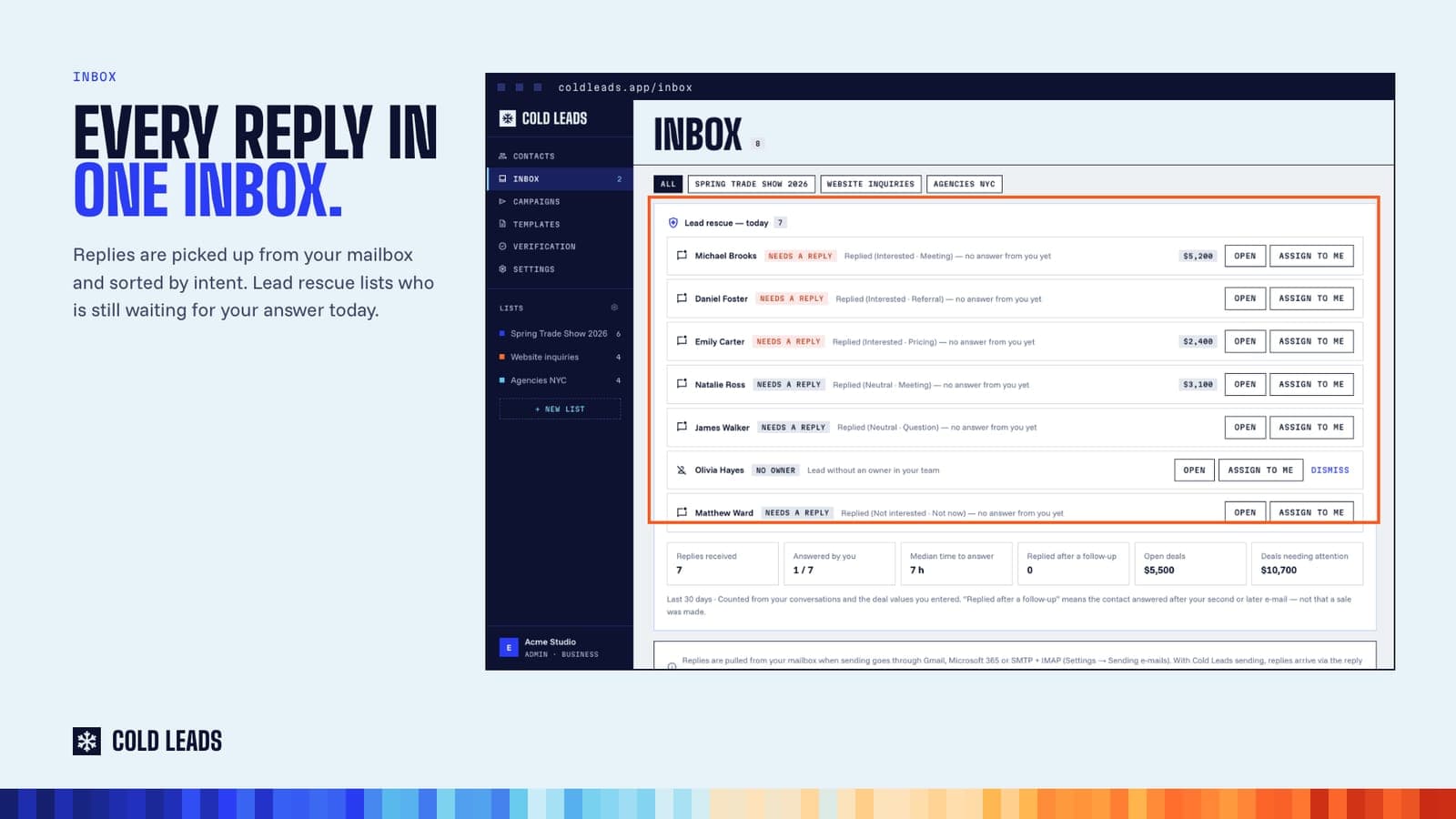
Because Cold Leads can read the mailbox too, replies are picked up and land in each contact's chat — next to everything you have sent them. The inbox in Cold Leads sorts replies by intent and shows who is still waiting for an answer today.
A reply also raises the contact's temperature (+18°F), so the people who are engaging rise to the top of your list.
Check the list first
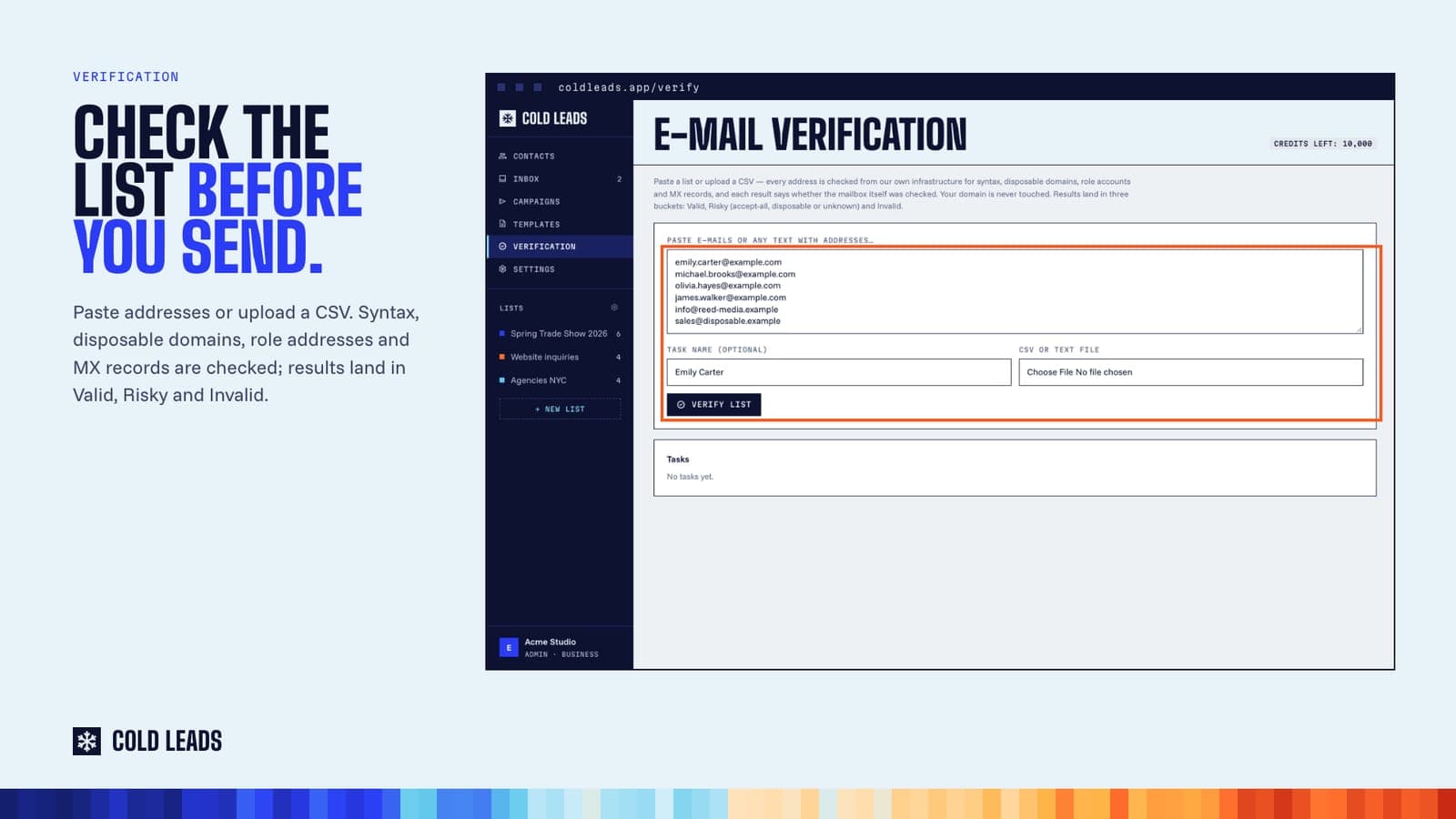
One more habit that protects your mailbox: verify the list before you send. In Cold Leads you paste addresses or upload a CSV, and each one is checked for syntax, disposable domains, role addresses (like info@) and MX records. Results land in Valid, Risky and Invalid. Fewer bounces, fewer problems.
When you do need more
If you are going to send thousands of emails a day to cold lists, dedicated infrastructure makes sense. But most small businesses are not there — and should not start there. Start with the mailbox people already trust, a short personal message and a tool that keeps track of the replies.
Read more: coldleads.app/solutions/cold-email-from-gmail-outlook
Plans from $19 a month. New accounts can try Cold Leads free for 5 days (card required).
Try Cold Leads on your own leads
Capture inquiries, verify addresses, draft with AI and send from your own mailbox. Plans from $19 a month; new accounts get 5 days free (card required).