Every lead starts cold
Why we gave every contact in our CRM a temperature — and what it changed about who we call first
Open almost any small-business CRM and you will see the same thing: a long list of names. Some of them replied last week. Some asked about pricing. Some were imported from a trade-show spreadsheet two years ago and never heard from again. On the screen they all look exactly the same.
That is the problem we kept running into. Not a lack of leads — a lack of signal. When everyone looks the same, you end up calling whoever is at the top of the list, or whoever you happen to remember. The person who asked for a price on Tuesday waits until Friday. By Friday, they have bought somewhere else.
So when we built Cold Leads, we started from one simple idea: every lead starts cold, and the tool should show you who is warming up.
A temperature instead of a status
Every contact in Cold Leads has a temperature, from 14°F to 104°F. A new contact starts at 14°F — cold. Then the temperature moves with what the person actually does:
- added to the CRM: +4°F
- filled in the form on your website: +9°F
- replied to your email: +18°F
- asked about pricing: +22°F
- asked for a meeting: +14°F
- came as a referral: +11°F
- became a customer: +25°F
- unsubscribed: −11°F
(Prefer Celsius? It's one click in Settings — the same scale runs from −10°C to +40°C. US accounts see Fahrenheit by default.)
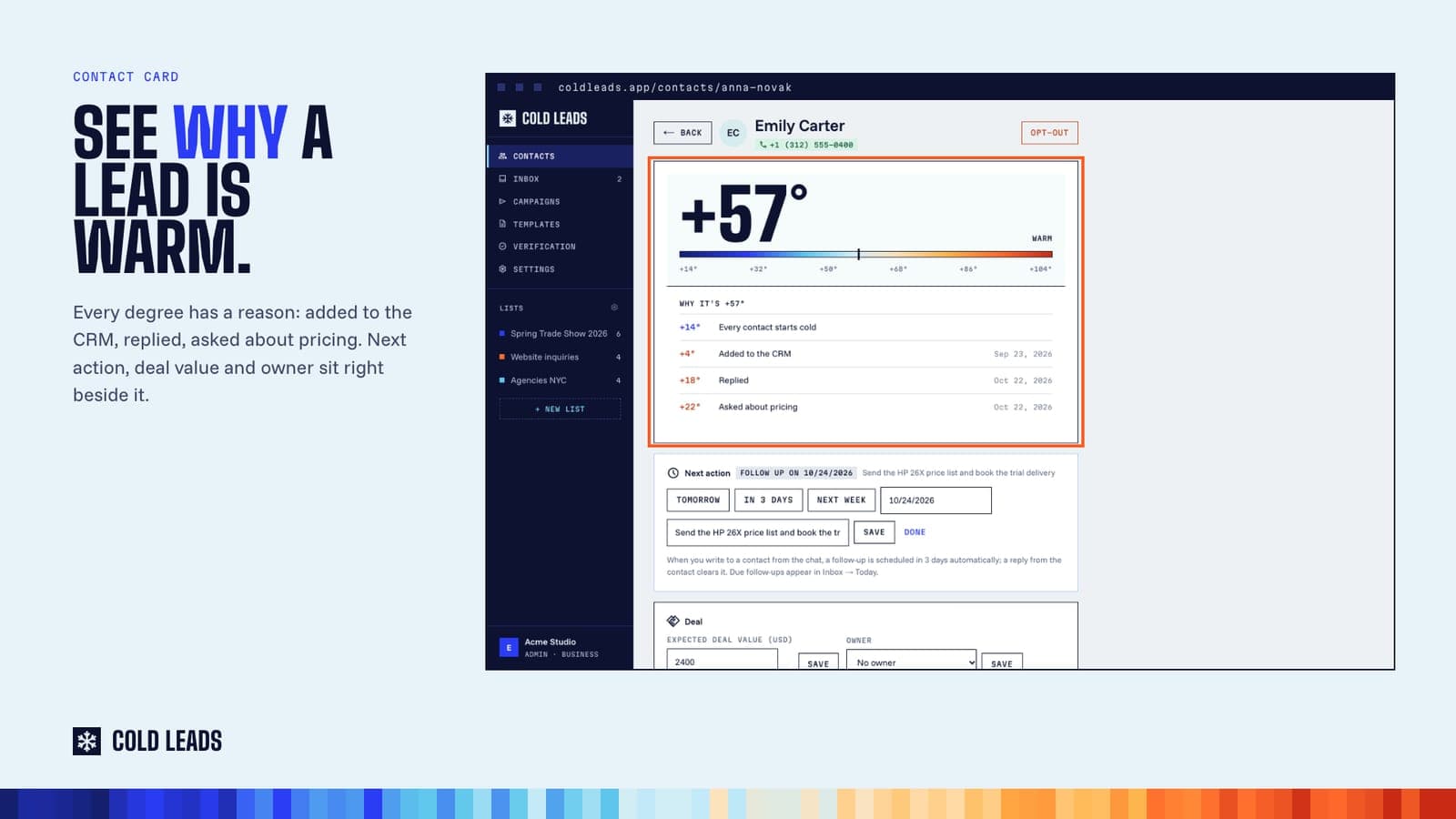
These are not guesses or a black-box "lead score". Each degree has a reason, and the contact card lists those reasons with dates: "Replied · Oct 22", "Asked about pricing · Oct 22". When a colleague asks "why is Emily at +57°F?", the answer is right there.
What you see in the app
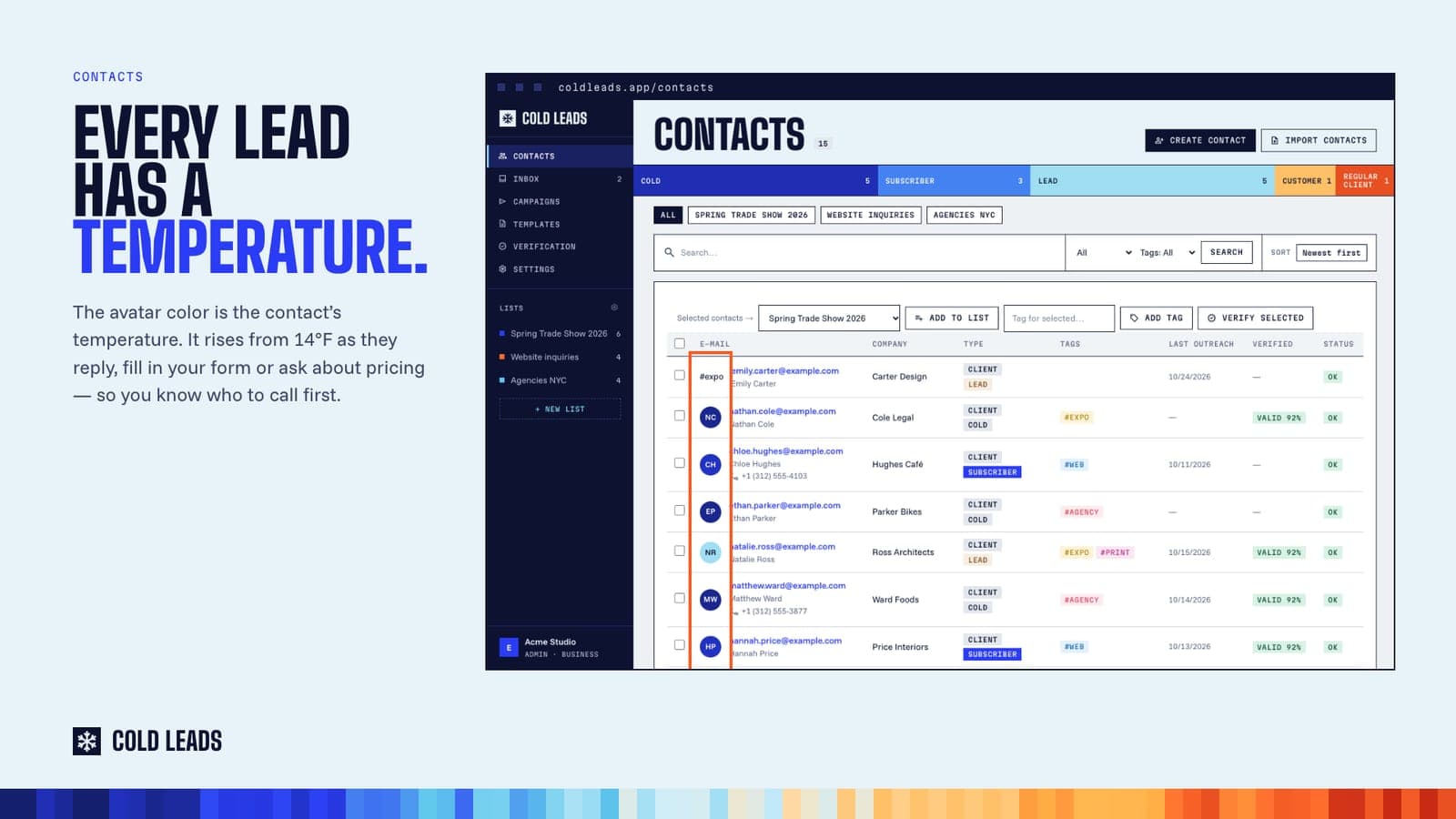
In the contact list, the color of each avatar is the contact's temperature — deep blue for cold, through ice and amber, to orange and red for hot. You can sort hottest-first. Five seconds of scrolling tells you where the energy in your pipeline is.
On a contact's own page, you see the big reading (say, +57°F), the scale, and the list of signals behind it. Next to it sits the next action and the deal value, so "who is warm" and "what do I do next" live on the same screen.
Why not just use stages?
We still have stages — cold, subscriber, lead, customer, regular client. Stages describe where someone is in your process. Temperature describes how they are behaving right now. A contact can be a "lead" for three months; temperature tells you whether this is the week to call.
The two together answer the question most small teams actually ask every morning: of all these people, who deserves my attention today?
Hot is a moment, not a label
Temperature is most useful at the moment it changes. On the Team and Business plans, Cold Leads can tell you when a contact crosses your "hot" threshold (77°F by default, adjustable) — by email, and by a message in Slack, Discord or any webhook. The same alert fires when someone replies positively, asks about pricing or wants a meeting.
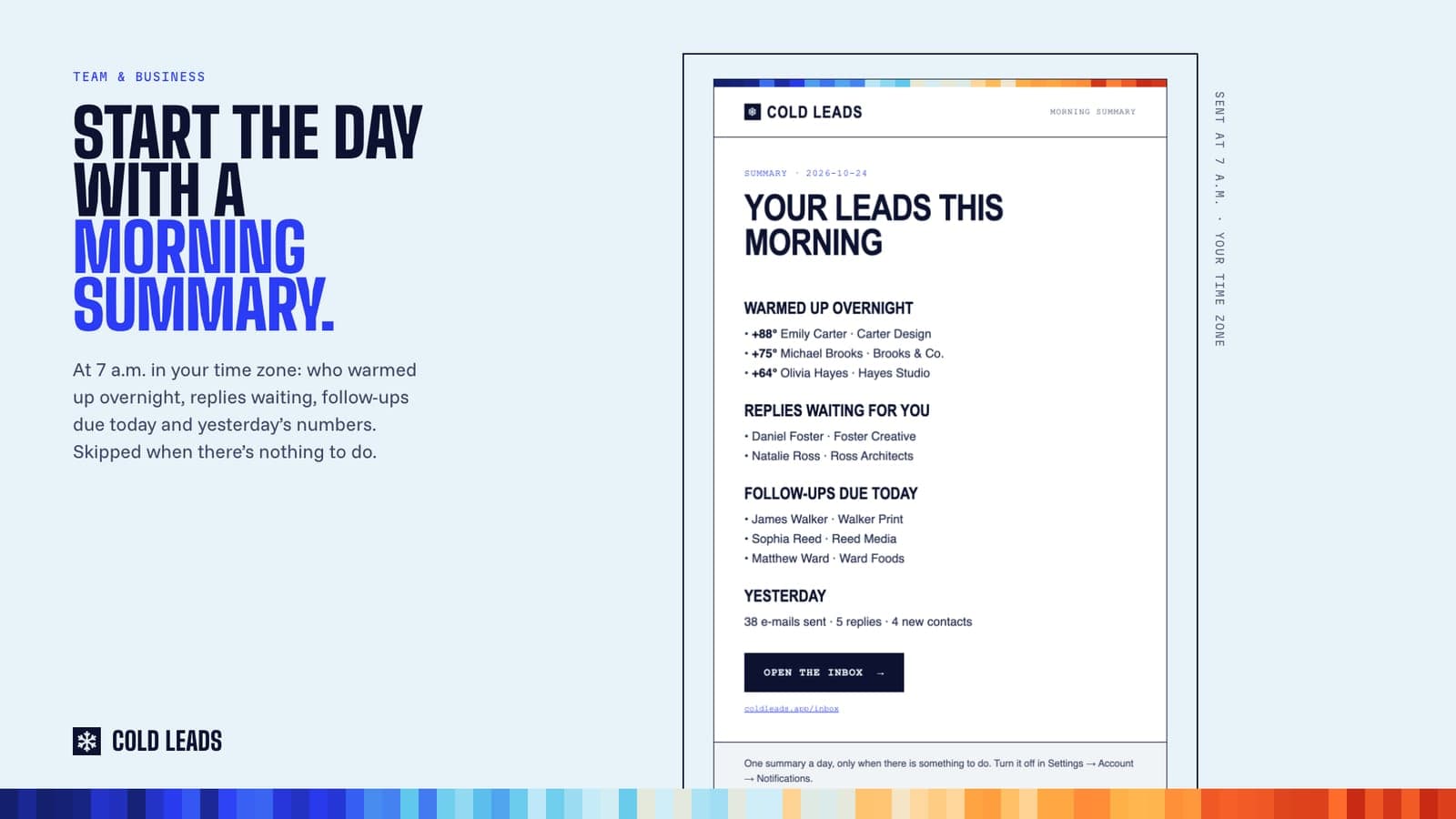
And every morning at 7 a.m. in your time zone, the morning summary lists who warmed up overnight, which replies are waiting for you and which follow-ups are due today. If there is nothing to do, it does not send anything.
The point
Small businesses do not lose deals because they have too few leads. They lose them because a warm lead looked exactly like a cold one, and nobody noticed in time.
Every lead starts cold. The job of a CRM is to show you, clearly and honestly, which ones are warming up — so you can be there when they are ready.
Cold Leads is a CRM for small businesses, made in Prague. Plans start at $19 a month, and new accounts can try it free for 5 days (card required): coldleads.app
Try Cold Leads on your own leads
Capture inquiries, verify addresses, draft with AI and send from your own mailbox. Plans from $19 a month; new accounts get 5 days free (card required).