AI drafts. You decide.
How we use AI in a sales tool without letting it send anything on your behalf

There are two ways to put AI into a sales tool.
The first is to let it run: it finds people, writes to them, answers them, books meetings. It sounds like the dream of "easy sales" — until you read what it actually sent in your name.
The second is to let it do the part that eats your evenings — the blank page, the first draft, the copy-pasting — and keep the decision with you.
We chose the second. In Cold Leads, AI drafts and you decide. Here is what that looks like in practice.
1. Templates from one line
You describe the email in a sentence: who it is for, what you offer, what you want them to do. "Email for owners of small print shops in Chicago: compatible cartridges 30% cheaper with a 12-month warranty, goal — a trial order, friendly tone, one question at the end."
Cold Leads drafts the template in your chosen tone and language — English, Ukrainian, Czech, German or Spanish — with {name} and {company} already in place. You read it, change what does not sound like you, and save it.
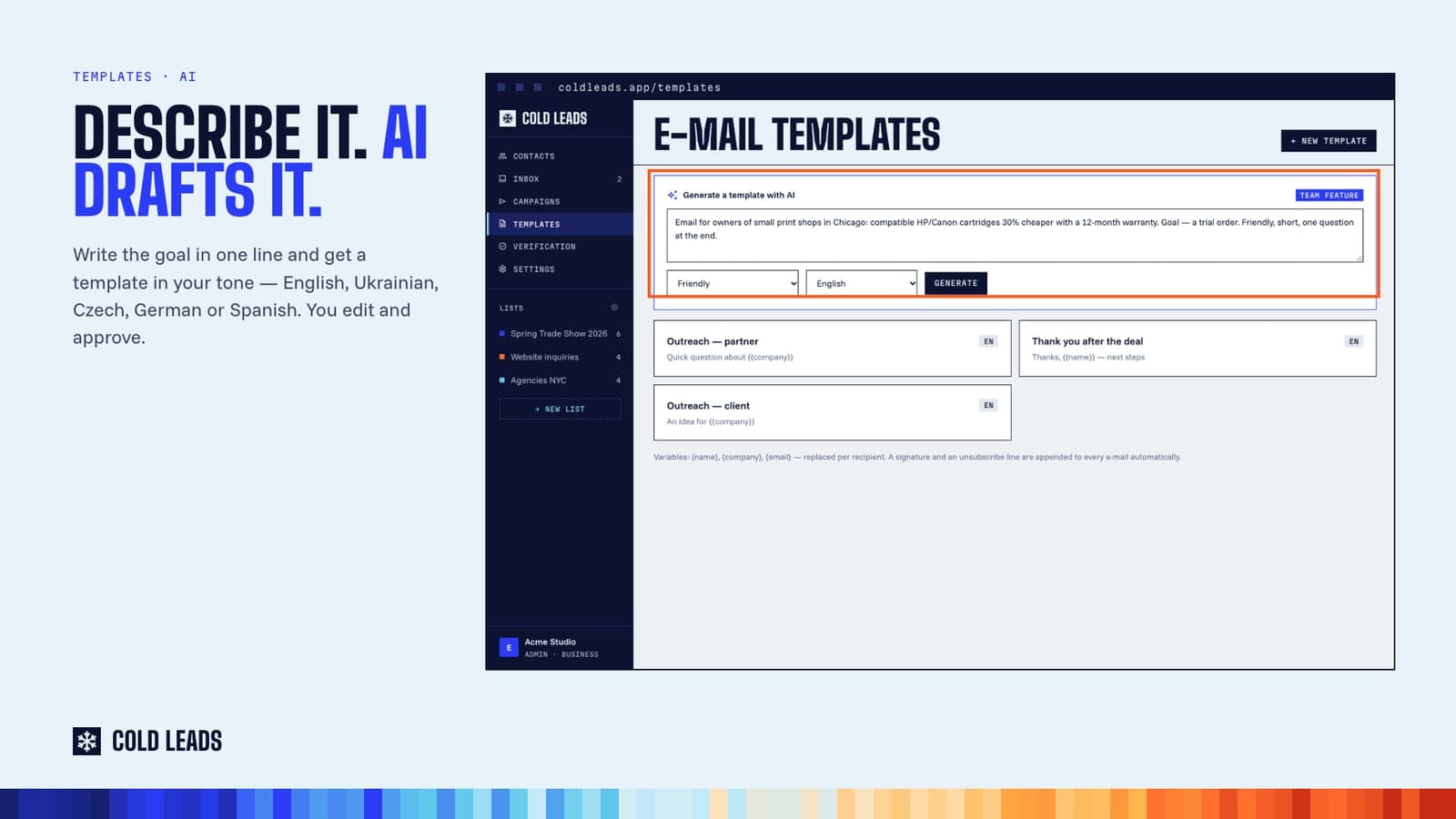
The Solo plan includes 5 AI-generated templates a month; Team and Business are unlimited.
2. Campaigns from one sentence
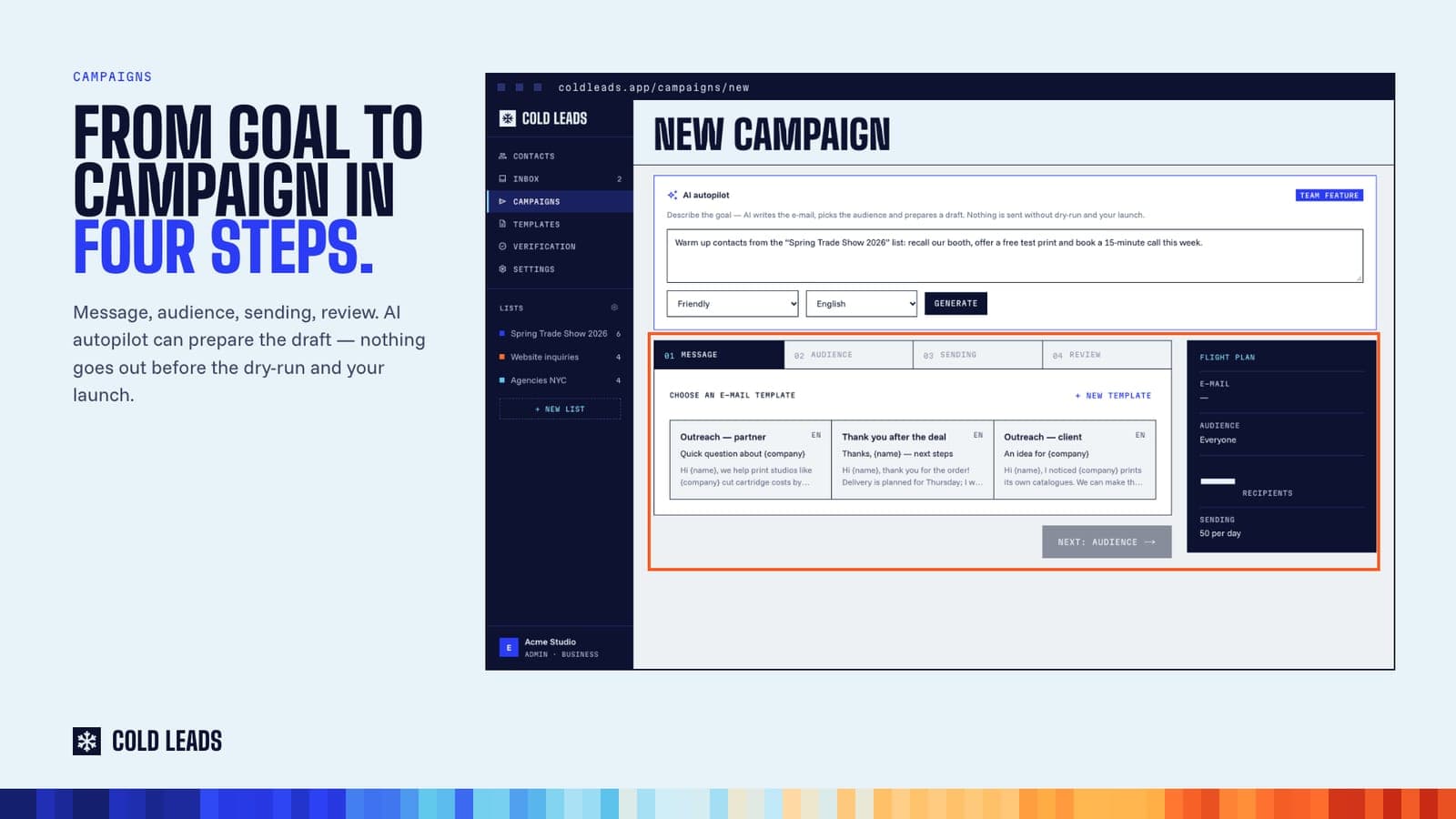
AI autopilot (Team and Business) goes a step further: you describe the goal of the campaign, and it picks the audience, writes the email and prepares a draft with sending spread over time.
The important word is draft. Nothing is sent until you have looked at the dry-run — who will receive what — and pressed Start yourself.
3. Import from any text
Have a list of contacts in an email signature dump, a conference PDF or a messy note? Paste the text and AI (Team and Business) pulls out names, email addresses, companies and phone numbers and adds them as contacts. Entries without an email, duplicates and do-not-contact addresses are skipped.
4. Replies, sorted and drafted
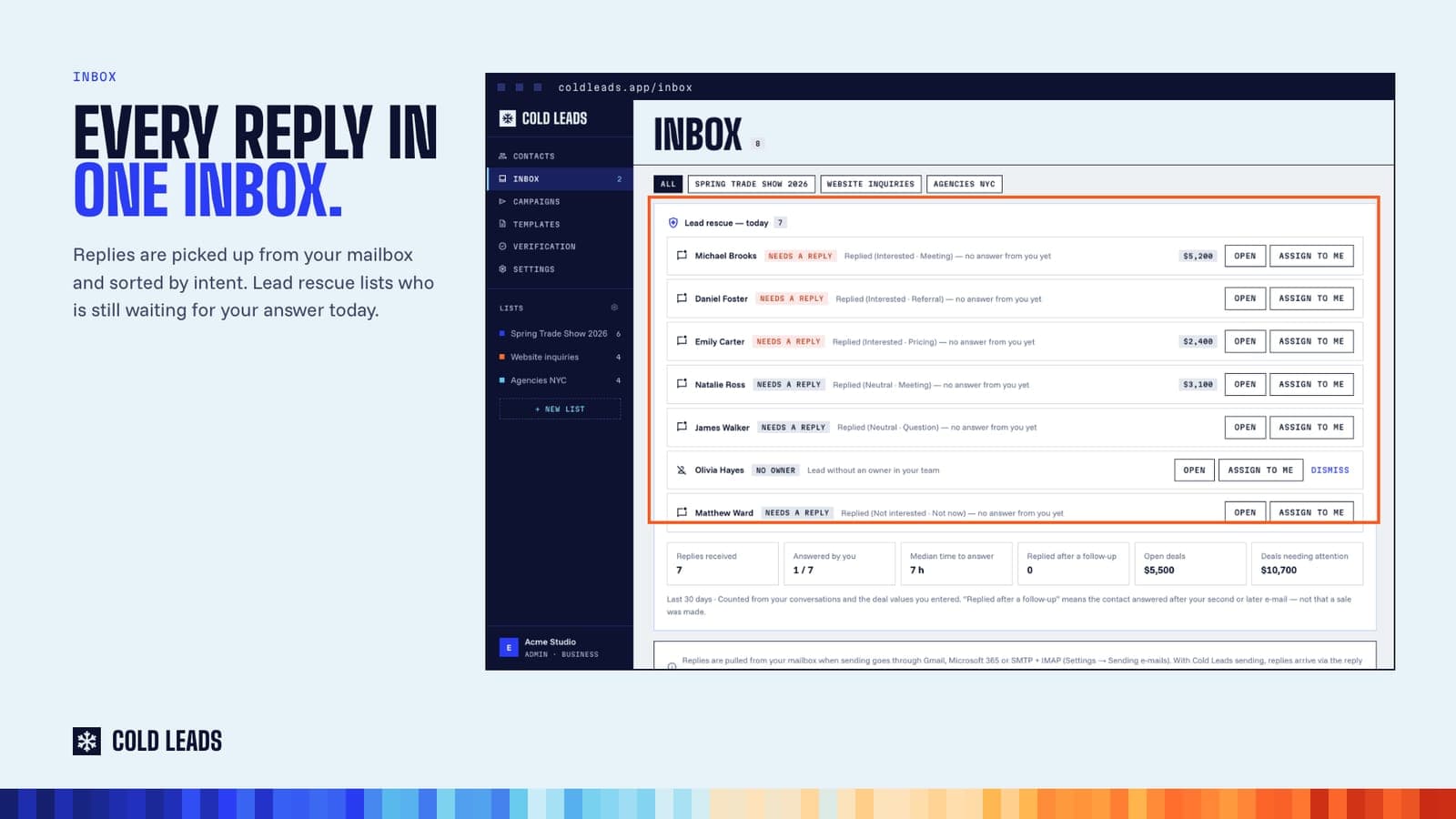
When people answer, Cold Leads sorts the replies by intent — interested, asking about pricing, wants a meeting, not now — so you see the important ones first. On Team and Business, AI can draft your answer in one click. You read it, edit it, and send it — or don't.
What AI does not do in Cold Leads
- It does not send emails on its own.
- It works from what you tell it about your offer — and you read every draft before it is used.
- It does not decide who is a good customer for you. You choose the lists; temperature shows you who is engaging based on what they actually did.
Why this matters
People can tell when an email was written for them and when it was generated at them. The fastest way to burn a list — and your reputation — is to let software speak for you without reading what it says.
But the blank page is real, and so are the evenings spent rewriting the same message. That is the part worth automating.
AI drafts. You decide. You get your evenings back, and your clients still hear from you.
Read more: coldleads.app/solutions/ai-lead-generation
Cold Leads also works from ChatGPT and Claude through MCP, if you prefer to manage your leads from an AI assistant. Plans from $19 a month; new accounts can try it free for 5 days (card required).
Try Cold Leads on your own leads
Capture inquiries, verify addresses, draft with AI and send from your own mailbox. Plans from $19 a month; new accounts get 5 days free (card required).